The Help Center
The Guides dashboard where authors manage guides, and the Help Center where everyone else reads the guides meant for them.
SimplifyGuide adds one menu to WordPress. What it shows depends on who is looking:
- Authors — anyone who can edit posts — see SimplifyGuide, with the Guides dashboard, the recorder and settings.
- Everyone else sees Help Center, listing the published guides meant for their role. Someone with no guides to see gets no menu at all.
It is the same page underneath, so a link to a guide works for both.
The Guides dashboard
SimplifyGuide → Guides shows every guide you can see as a card, newest change first.
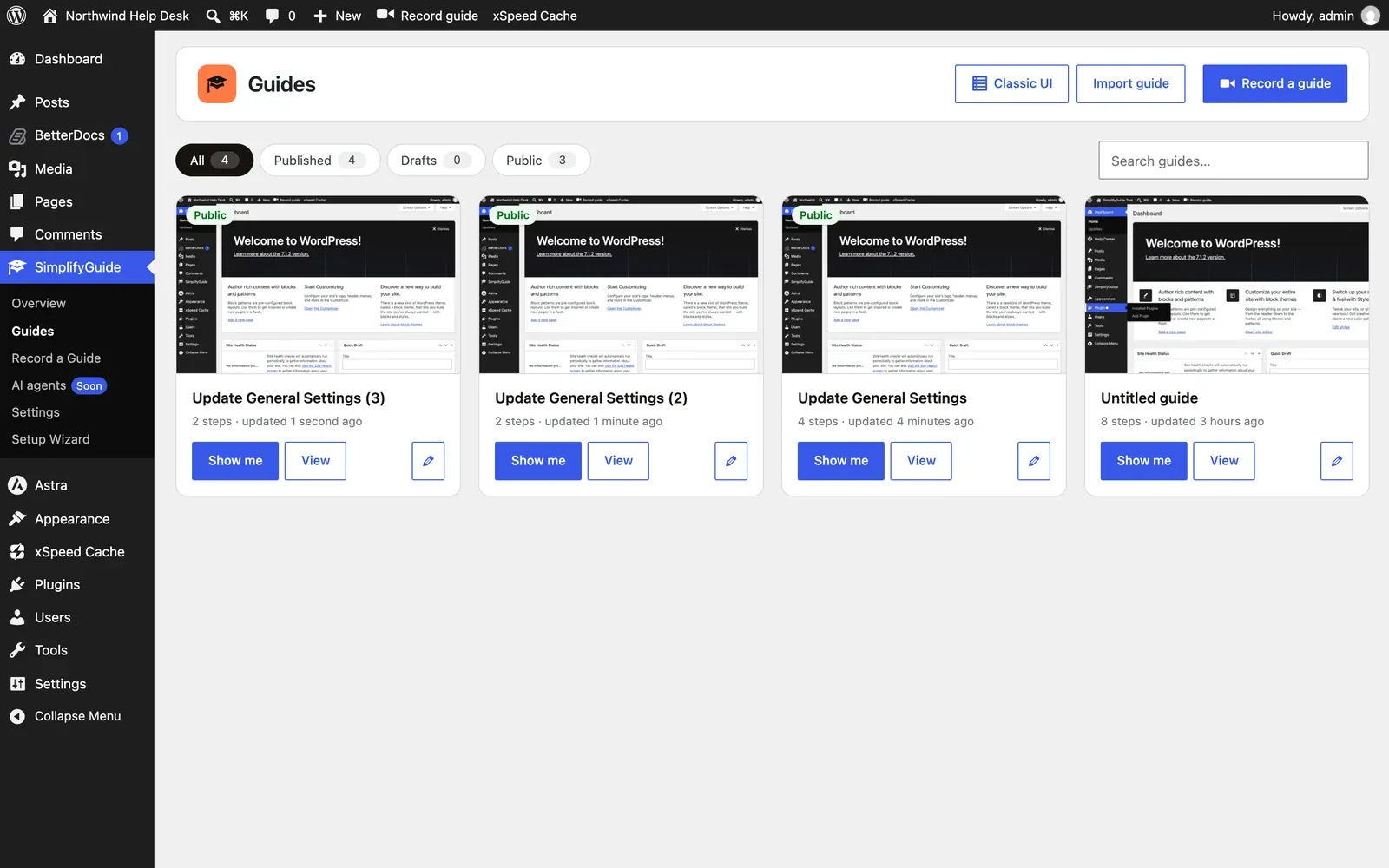
Along the top:
- Classic UI — the standard WordPress list, below.
- Import guide — create a guide from a SimplifyGuide file. Shown to authors who can upload files. See Exports.
- Record a guide — opens the recorder.
Filters and search
| Filter | Shows |
|---|---|
| All | Every guide you can see |
| Published | Guides in the Help Center |
| Drafts | Drafts, pending and private guides |
| Public | Guides marked Public, published or not |
Each chip shows its count. The Search guides… box matches the title, the description and the text of every step, as you type.
Your filter and search are kept in the address — ?status=draft&q=invoice —
so they survive a reload and you can share or bookmark a filtered view.
Guide cards
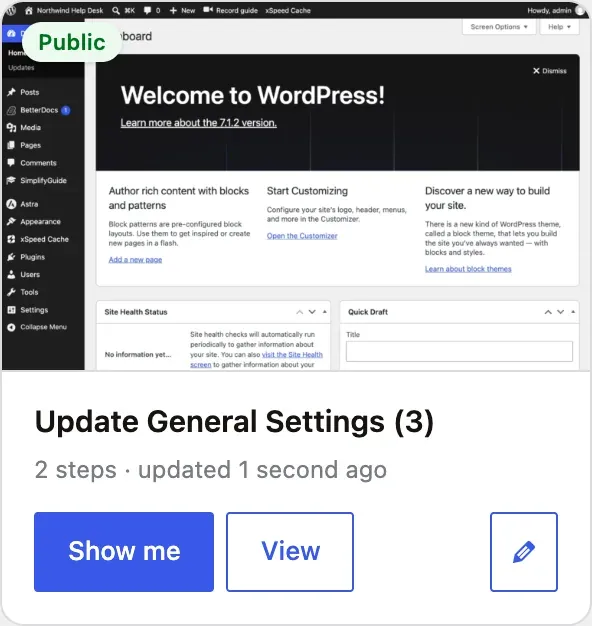
Each card shows the first screenshot in the guide, a Draft or Public badge where it applies, the title and description, and the number of steps and when it was last updated. Below that:
- Show me — starts the walkthrough. Only on guides with steps.
- View — opens the guide page.
- Edit (pencil) — opens the editor. Only on guides you can edit.
Classic UI
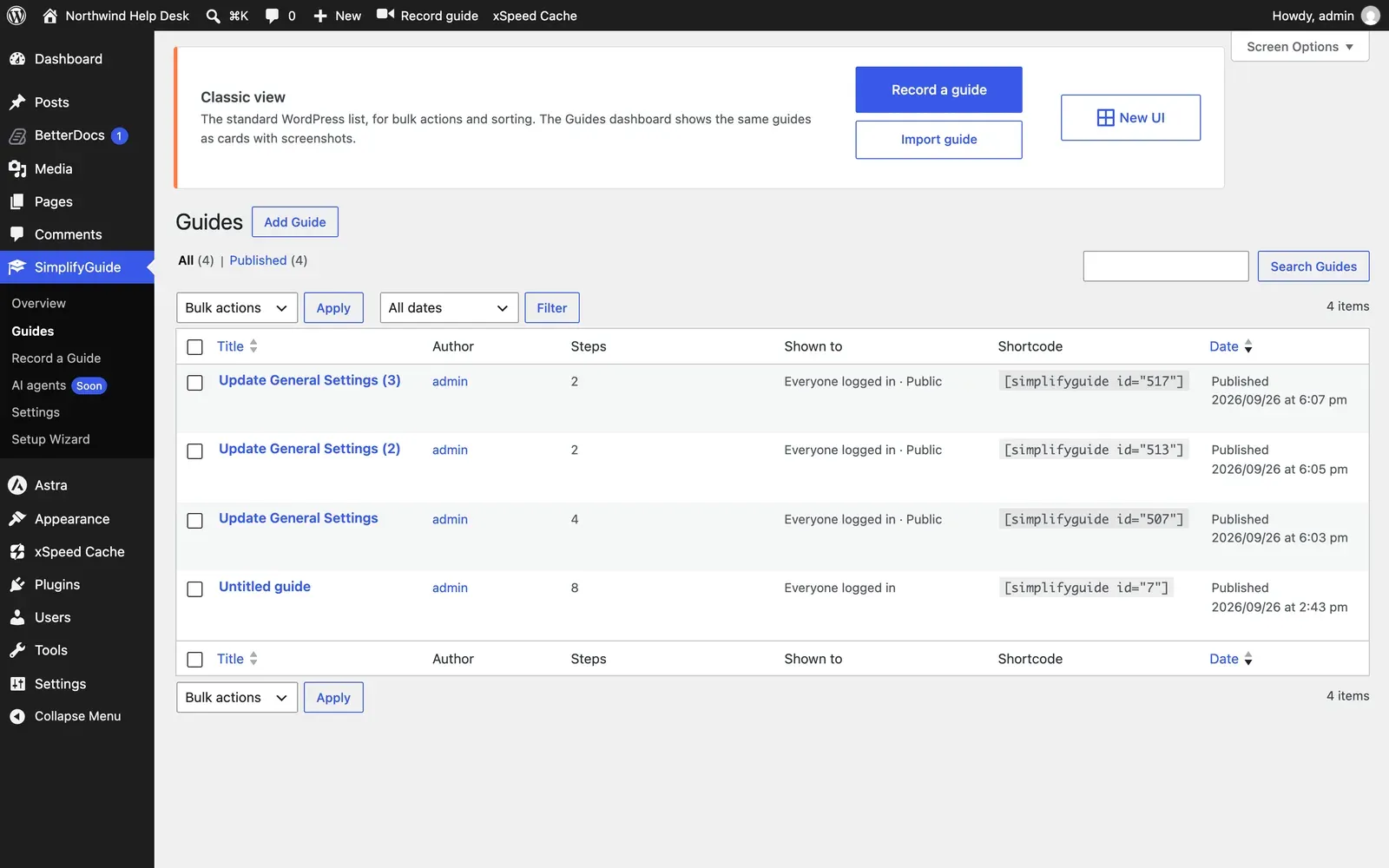
Classic UI is the standard WordPress list, for bulk actions, trash and sorting. It adds three columns — Steps, Shown to and Shortcode — and View, Show me and Record more links under each title. New UI takes you back to the dashboard.
The guide page
Click a card or View to open a guide.
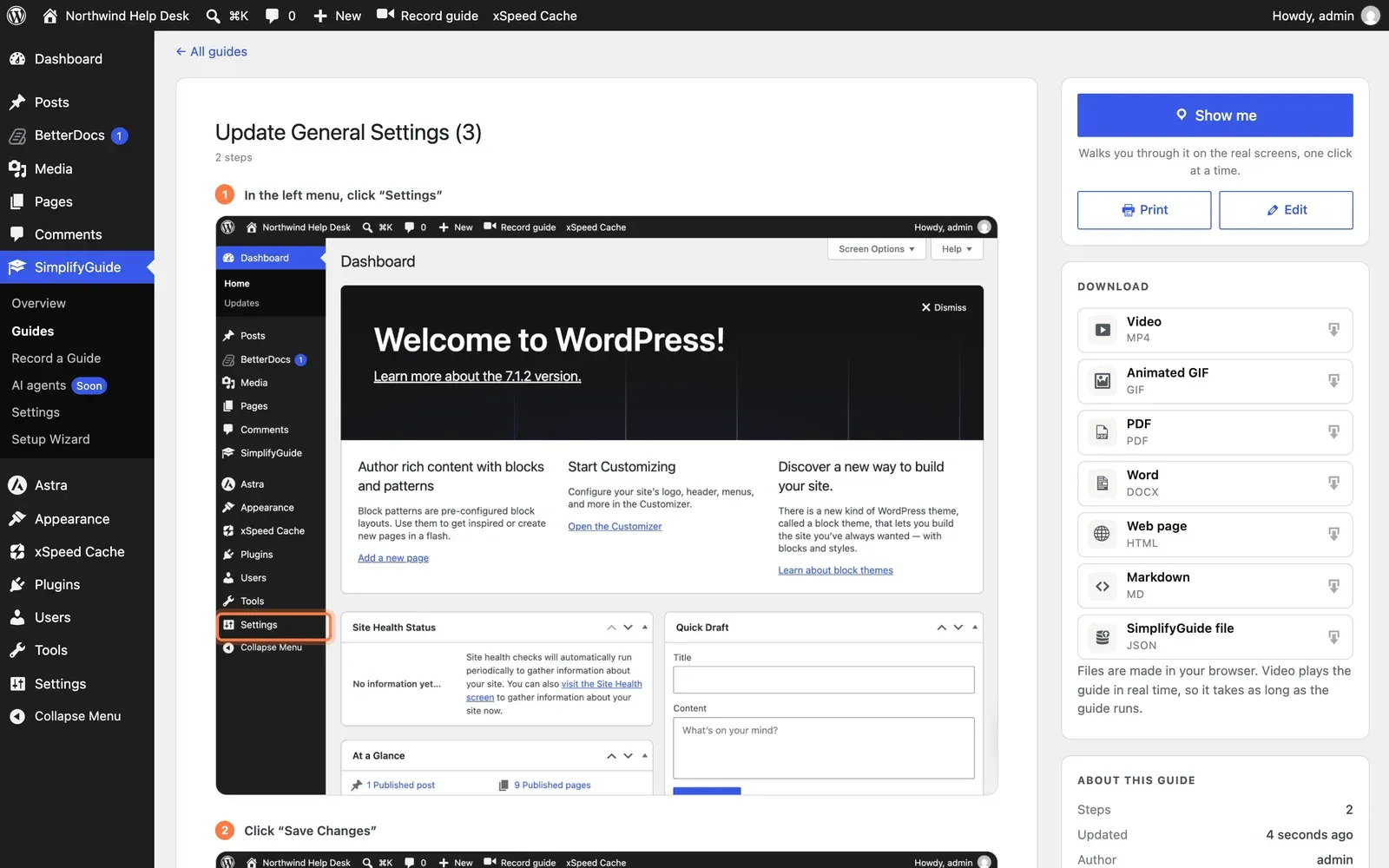
The main column is the guide as readers see it everywhere: title, description, step count, and each step with its note and annotated screenshot. Click a screenshot to open it full size.
The sidebar holds:
- Show me — “Walks you through it on the real screens, one click at a time.”
- Print — prints the guide, or saves it as a PDF from the print dialog.
- Edit — only for people who can edit the guide.
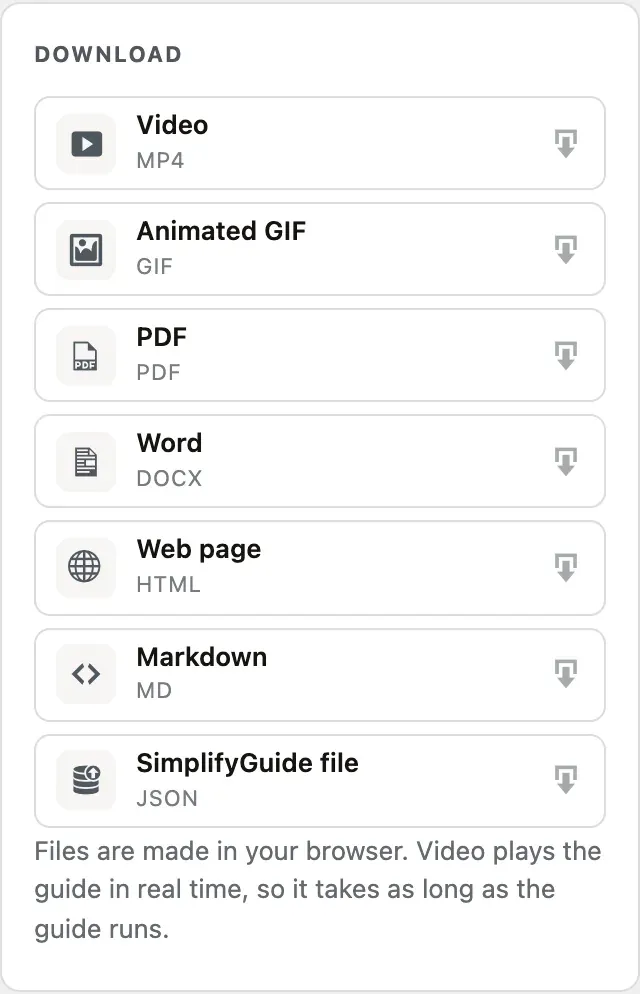
- Download — every export format, one click each.
- About this guide — number of steps, when it was updated, and the author. People who can edit the guide also see Shown to: the roles it is for, and Public or Draft badges.
- Steps — a list of every step that jumps to it, with the step you are reading marked as you scroll. Shown on guides with more than one step.
What readers see
People who cannot edit posts — Subscribers and Customers, for example — see a simpler version:
- The menu is called Help Center, near the top of the admin menu.
- The page is titled Help Center, with search but no filters, no Import and no Record a guide.
- Only published guides appear, and only those meant for them: guides with their role ticked in Who sees this guide, guides with no roles ticked (which are for every logged-in user), and guides marked Public.
- Cards have Show me and View, but no edit button.
- If there is nothing for them yet, the page says No guides yet — “Guides shared with you will appear here.”
Readers can still download guides from the Download card.
The dashboard widget
Anyone with at least one published guide to see also gets a Help Center widget on the WordPress dashboard. It lists up to eight of their published guides, newest change first, each with a Show me link, and an All guides link to the Help Center.
Who can author
By default anyone with the edit_posts capability — Contributors and above —
is an author. Developers can change that with the
simplifyguide_author_capability filter. See
Roles and capabilities.